Postmate Client — Introduction
Postmate Client is a lightweight, privacy-first API testing tool for Visual Studio Code and a powerful Postman alternative for developers and QA who want to test APIs directly inside their editor.
Built as a native VS Code extension, Postmate Client enables offline API testing without login, cloud sync, or data sharing, making it ideal for teams that care about speed, simplicity, and data privacy.
Whether you're a developer or QA engineer, Postmate Client helps you create, organize, and automate API tests without leaving your coding environment.
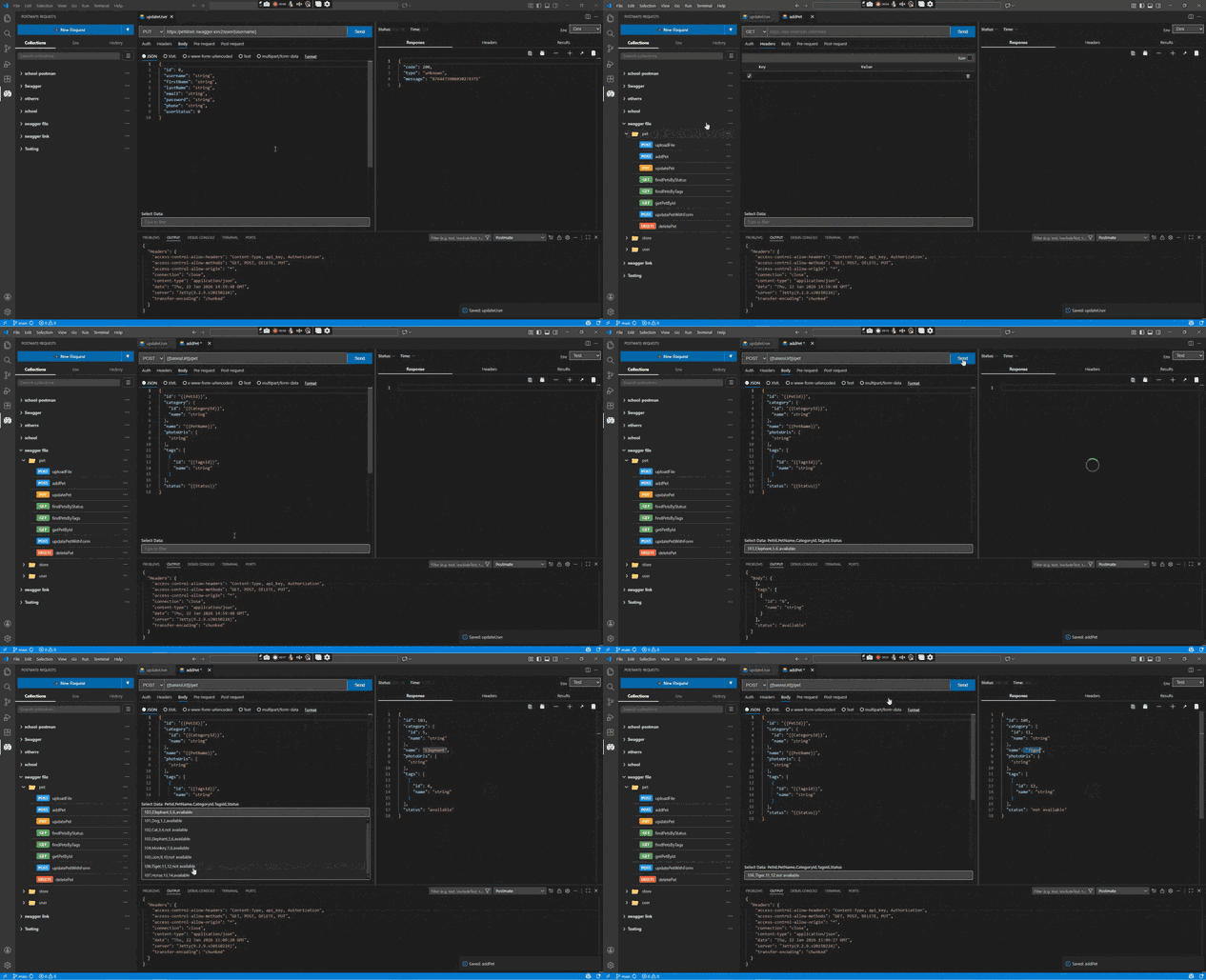
Why Postmate Client?
Most API tools like Postman and Thunder Client either require login, rely on cloud sync, or live outside your editor.
Postmate Client is different.
It is a fully local, VS Code-native API client that:
- Requires no account or login
- Keeps your API data 100% on your machine
- Eliminates context switching (no alt-tabbing)
👉 If you're looking for a secure Postman alternative or a lightweight API client for VS Code, Postmate Client is built for you.
Key Features
- Built-in pm scripting library — a familiar API similar to Postman, exposed via the global pm object
- Plain-English tabular tests — write assertions without writing code
- Pre/post-request scripts — run JavaScript before or after every request
- Environments & Variables — manage dev, staging, and production in one click
- Collections & Folders — organize and version-control API requests
- GraphQL support — send queries and mutations with a dedicated GraphQL request mode
- Cookie management — capture, inspect, and reuse cookies across requests
- API response comparison — diff responses against an expected baseline, either for a single request or in bulk across a collection
- Data Tables — enable data-driven API testing using CSV-style inputs. Create as many data tables as you need
- Collection Runner — execute full API test suites in sequence
- Request Chaining — pass response data between requests automatically
- cURL / Swagger / OpenAPI import — quickly generate requests from existing specs
- Postman collection import — migrate from Postman in seconds
- CI/CD CLI — run API tests in pipelines and generate HTML reports
How It Works
Create API requests, organize them into collections, run them across environments, and validate responses using tests.
With the built-in pm scripting library and plain-English testing interface, Postmate Client supports both beginner-friendly API testing and advanced automation workflows.
TIP
Use {{variableName}} anywhere in your request URL, headers, or body to reference environment or response variables dynamically.
Quick Links
| Resource | Link |
|---|---|
| VS Code Marketplace | Install Postmate Client |
| Video Tutorials | YouTube Channel |
| Report an Issue | GitHub Issues |
| Wiki | GitHub Wiki |