How to Import a Request from Fiddler into Postmate Client
Found the request you need in Fiddler? Copy it from the Raw view and paste it into Postmate Client — it opens as a ready-to-send request inside VS Code. No exporting to a file, no converting to cURL first.
Postmate fills in:
- ✅ HTTP method
- ✅ Full URL, including the query string
- ✅ Headers (including
Authorization,Cookie,Content-Type) - ✅ Body, in the right tab — JSON, GraphQL, XML, form-urlencoded, or plain text, based on the
Content-Type
Step 1: Copy the raw request from Fiddler
Select the session in Fiddler's session list, open the request Inspectors, switch to the Raw view, and copy all of the text.
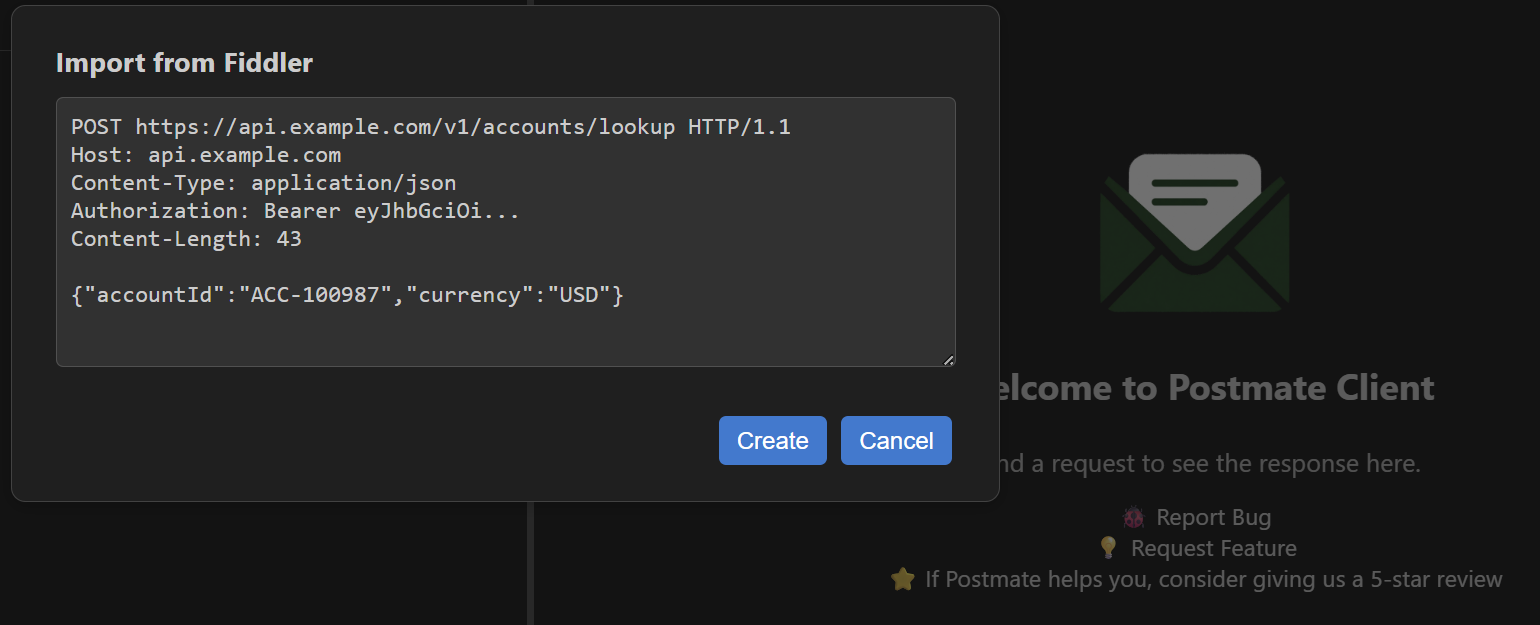
A raw request looks like this:
POST https://api.example.com/v1/accounts/lookup HTTP/1.1
Host: api.example.com
Content-Type: application/json
Authorization: Bearer eyJhbGciOi...
Content-Length: 43

{"accountId":"ACC-100987","currency":"USD"}
Turn on HTTPS decryption
For HTTPS traffic, Fiddler only shows the real request when HTTPS decryption is turned on. Without it you see an encrypted CONNECT api.example.com:443 tunnel instead — Postmate recognizes that and tells you to enable decryption.
Step 2: Open "From Fiddler" in Postmate
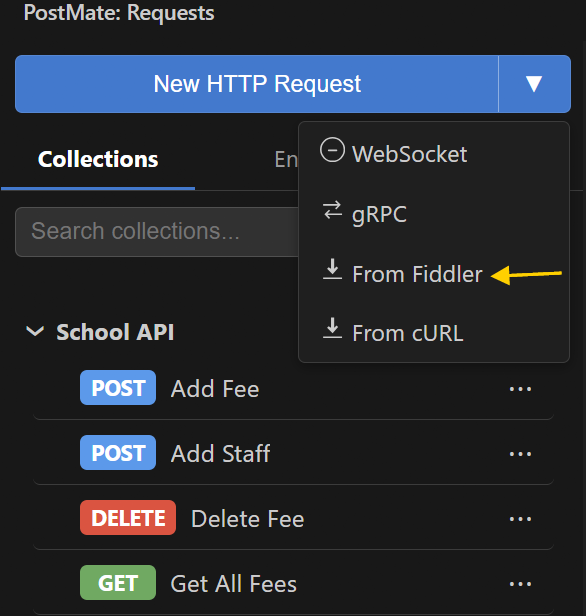
In the Postmate Client sidebar, click the dropdown arrow (▾) next to the New HTTP Request button and choose From Fiddler.
Step 3: Paste and click Create
The Import from Fiddler dialog opens. Paste the raw request and click Create.
The request opens in a new tab, ready to send.
Step 4: Send, then save when you're ready
Click Send to replay the request and inspect the response. To keep it, press Ctrl+S, choose a collection, and enter a name.
What Postmate does with the raw request
A raw request captured from the wire contains things an API client should not copy back verbatim. Postmate cleans those up:
| In the raw request | What Postmate does |
|---|---|
Host, Content-Length, Connection, Proxy-Connection, Keep-Alive headers | Dropped — they're set automatically when the request is sent, and stale values would break it |
Transfer-Encoding: chunked body | Decoded into the plain body, and the header is dropped |
| The same header repeated | Merged into one — cookies joined with ;, other headers with , |
A path-only request line (GET /v1/users HTTP/1.1) | The full URL is built from the Host header |
CONNECT host:443 tunnel | Rejected with a hint to turn on HTTPS decryption in Fiddler |
Everything else — your Authorization, Cookie, custom headers, and the body — comes through as captured.
Make it reusable
A captured request is full of hardcoded values. Once it's in Postmate, replace them with variables — the base URL with {{baseUrl}}, an ID with {{accountId}}, the token with {{token}} — and it becomes a request you can run against any environment or across a data table.
Frequently Asked Questions
Does this work with Fiddler Classic and Fiddler Everywhere?
Yes. Both show a raw view of the request; copy that text and paste it into From Fiddler.
Can I paste a cURL command into the Fiddler dialog?
No — use From cURL for cURL commands. If you paste one into the Fiddler dialog, Postmate points you to the right option.
Can I import several Fiddler sessions at once?
Not yet. Paste one request at a time.
Why did my imported request come in without a body?
The raw view in Fiddler may show a compressed or encoded body if Fiddler hasn't decoded it. Use Fiddler's option to decode the session, then copy the raw request again.
Are my tokens sent anywhere when I import?
No. Parsing happens inside VS Code on your machine. Nothing is uploaded.