Quick Start: Postmate Client (Free Postman Alternative for VS Code)
Get started with Postmate Client, a fast and secure API testing tool for VS Code, and send your first API request in under 5 minutes — no login, no cloud sync, and no setup required.
If you're looking for a Postman alternative or a Thunder Client alternative that runs completely locally, you're in the right place.
Prerequisites
Just Visual Studio Code. That's it. No accounts, no dependencies, no CLI setup.
This makes Postmate Client one of the easiest local API clients for developers.
Step-by-Step Guide to Send Your First API Request
1. Install Postmate Client Extension
- Open VS Code.
- Click the Setting Wheel (bottom left corner of screen) -> Extensions.
- Search for Postmate Client.
- Click Install.
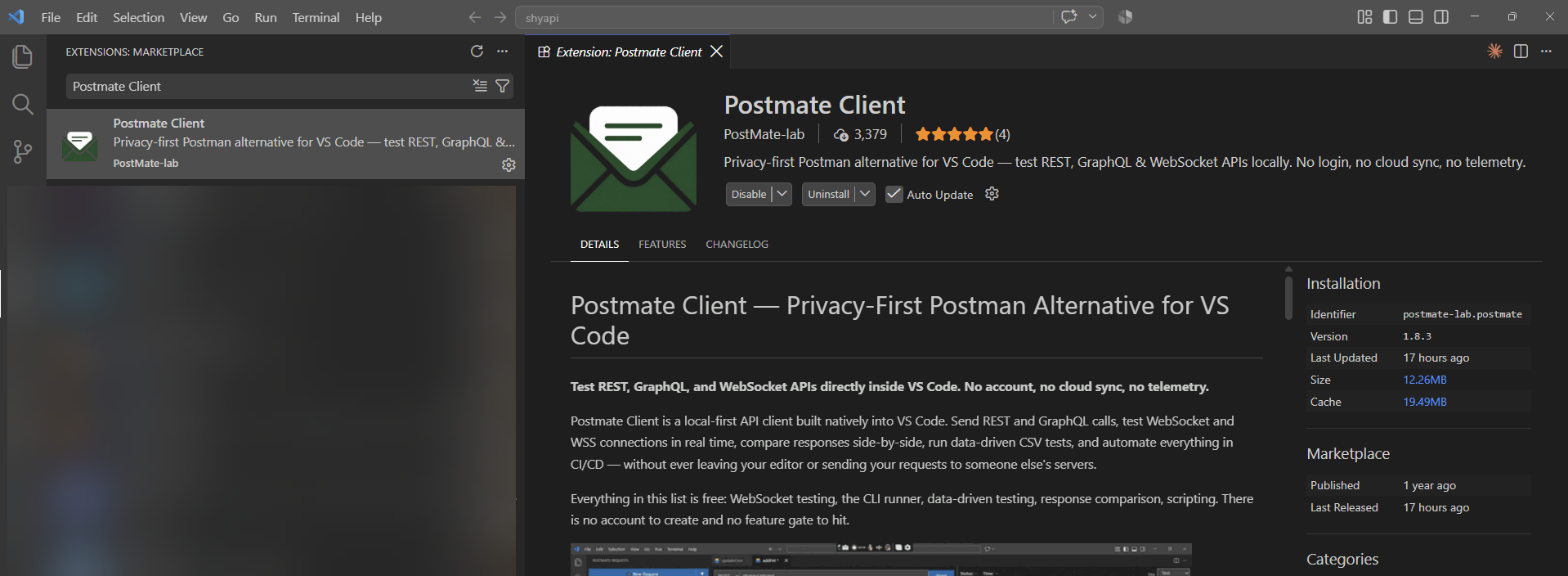
2. Open Postmate Client in VS Code
Click the Postmate Client icon in the VS Code Activity Bar (left sidebar). The API client will open directly inside VS Code — no separate app needed.
3. Create Your First API Request
Click New Request and enter a sample API endpoint URL:
https://jsonplaceholder.typicode.com/posts/1Select the HTTP method as GET.
4. Send the API Request
Click Send. You’ll instantly see:
- Status code
- Response body
- Headers
- Response time
This is everything you need for API testing and debugging in one place.
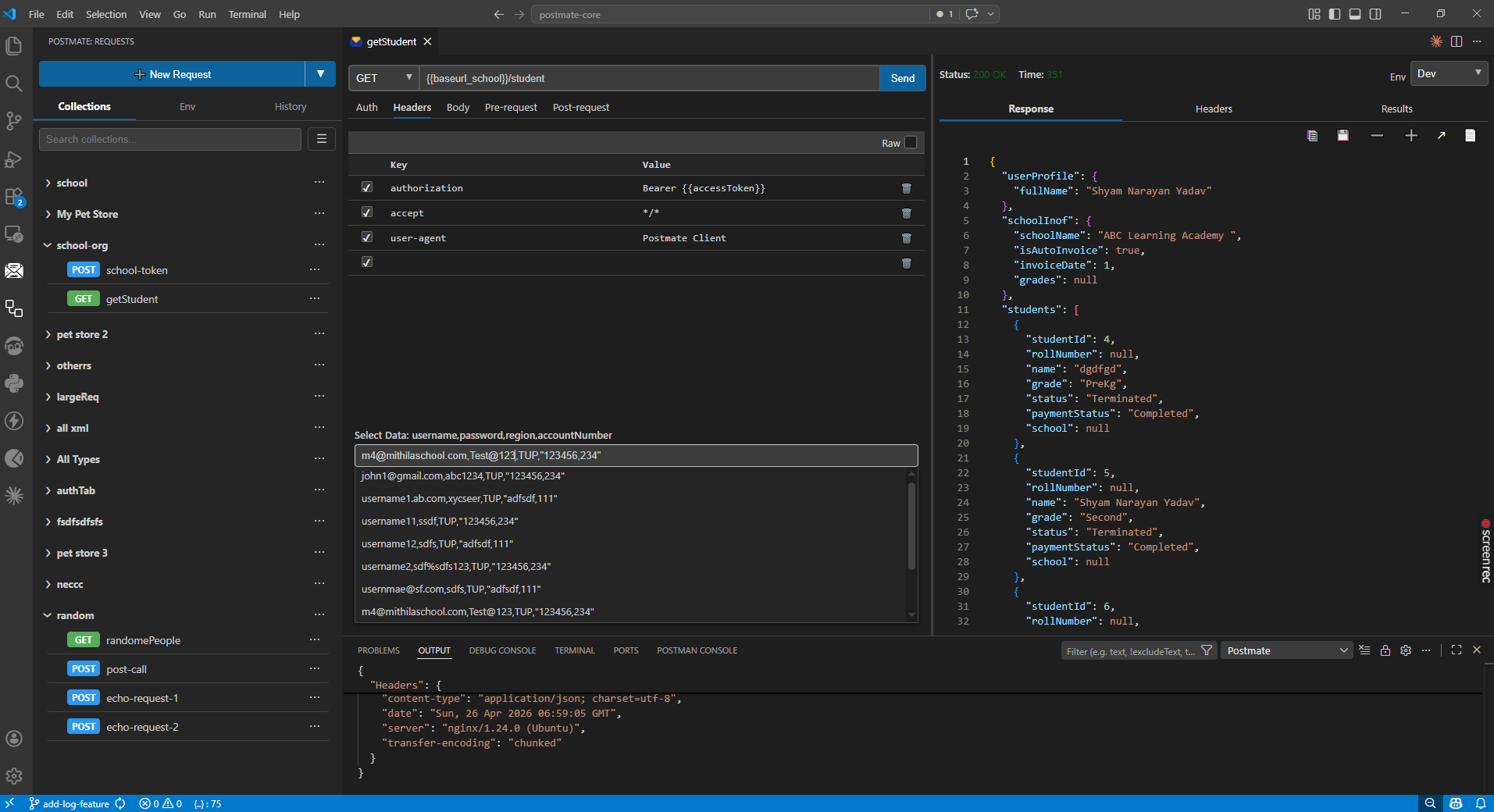
5. Save Request to a Collection
Anytime press Ctrl + s to store your request in a collection.
##Collections help you:
- Organize API requests
- Reuse endpoints
- Run automated API tests
TIP
Once installed, Postmate Client appears in your VS Code sidebar. You can send your first API request in under 30 seconds.
Why Use Postmate Client?
- 100% local (no cloud sync, no data sharing)
- No login required
- Lightweight and fast
- Built for developers who care about API security and privacy
- Perfect Postman alternative for teams with strict data policies
Next Steps
Now that you've sent your first request, explore more powerful features:
- Environments & Variables — manage dev, staging, and production configs
- Tests & Assertions — validate API responses automatically
- CI/CD with CLI — run API tests in your pipeline