Postmate ClientYour APIs. Your Machine. Your Data.
A privacy-first REST, GraphQL, and WebSocket API client built natively into VS Code. No cloud sync, no login, no telemetry — just fast, local API testing that respects your data.
A privacy-first REST, GraphQL, and WebSocket API client built natively into VS Code. No cloud sync, no login, no telemetry — just fast, local API testing that respects your data.
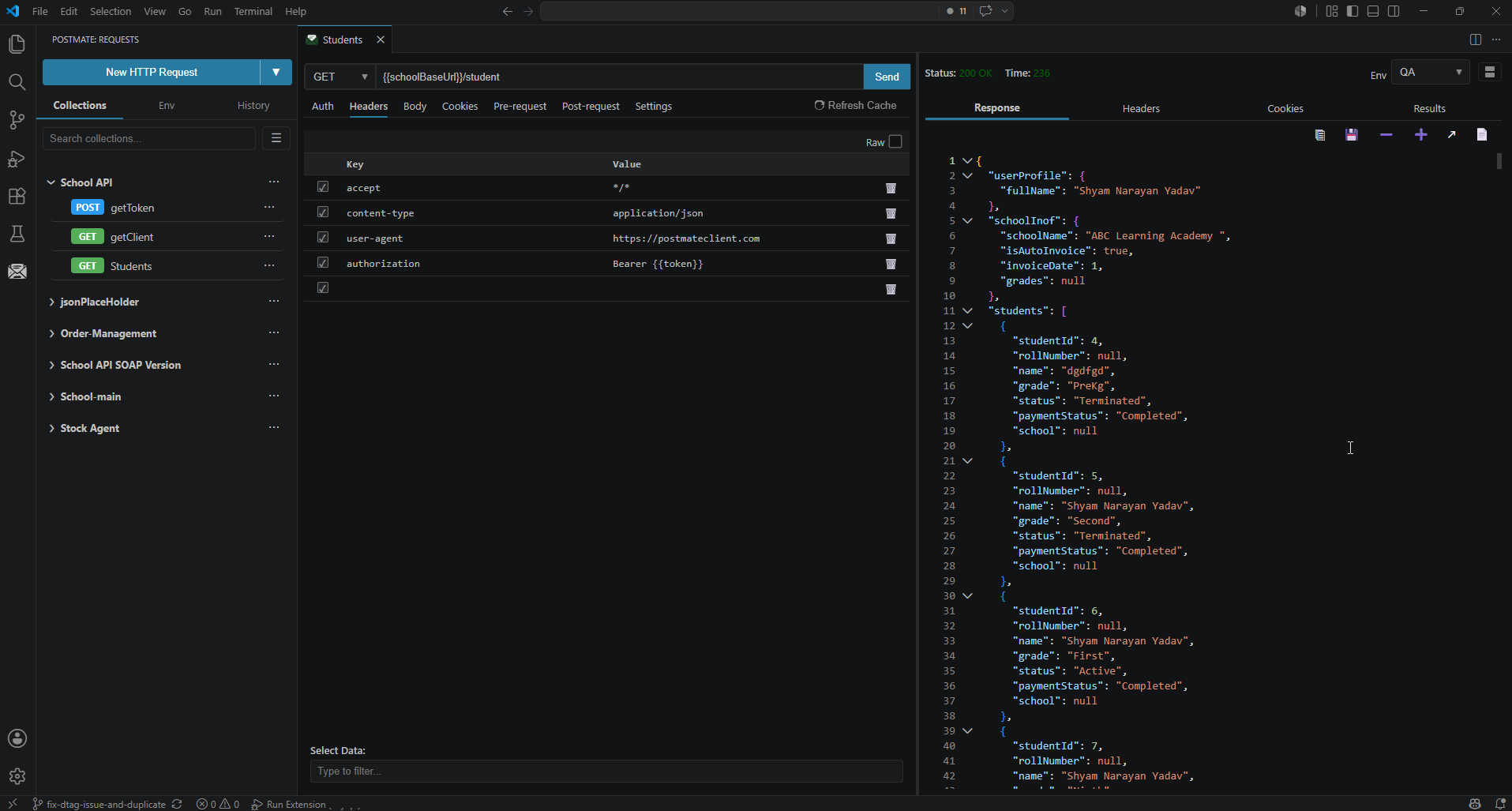
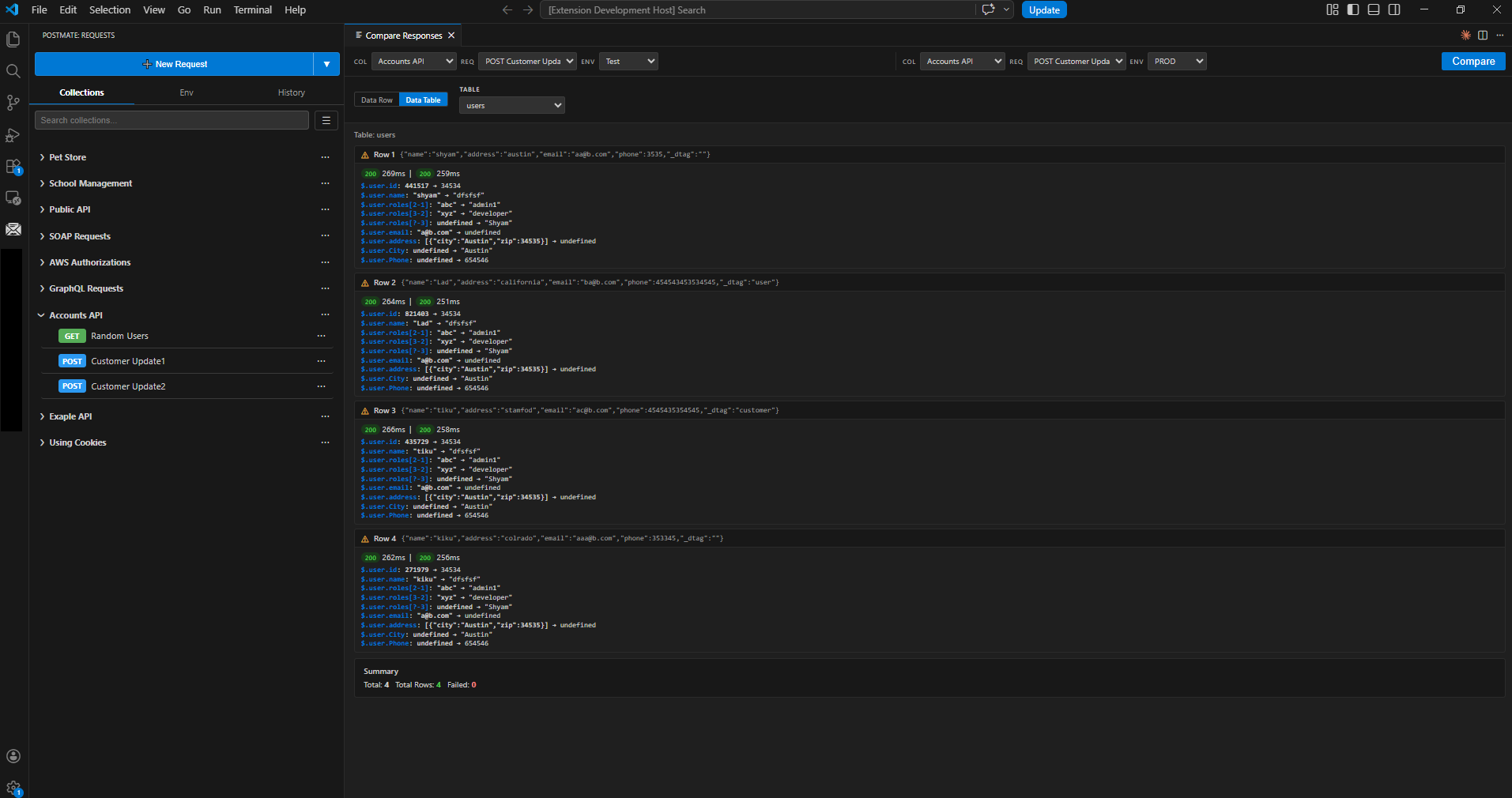
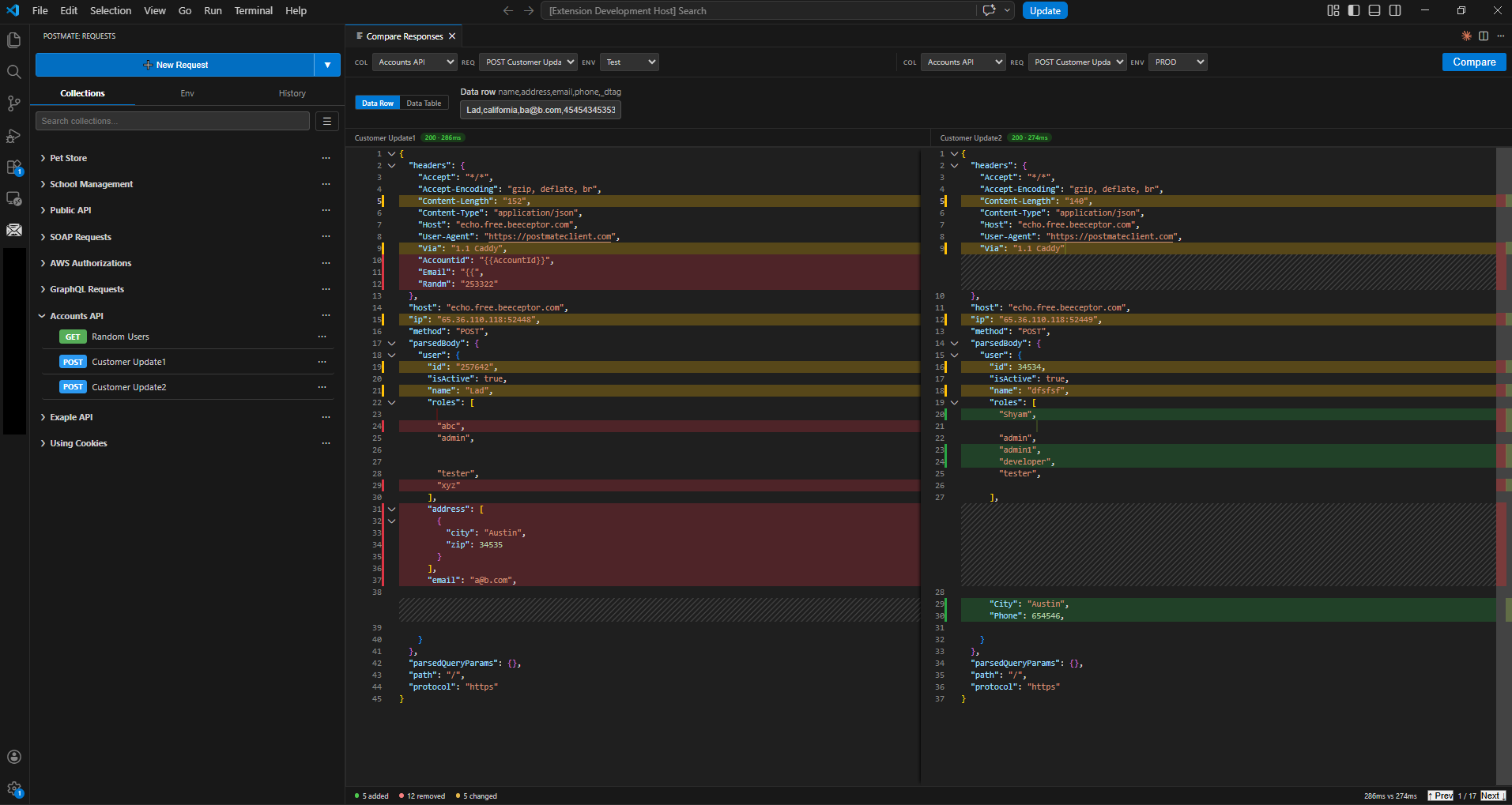
Pick two environments. Hit Compare. Postmate Client fires both calls in parallel, diffs the responses, and shows you only what changed — in clean JSONPath notation. Need to compare hundreds of inputs? Point it at a CSV data table.
Most API clients were built for the cloud era — sync everything, log in everywhere, ship your tokens to someone else's servers. Postmate Client takes the opposite approach. It runs entirely inside VS Code, stores everything locally, and never phones home.
Postmate Client gives you a full visual request builder inside VS Code — tabs for params, headers, body, auth, tests, and pre/post-request scripts. Build REST, GraphQL, and WebSocket calls without writing any boilerplate.
Every input field supports dynamic variables out of the box, so you can keep tests realistic without hardcoding data:
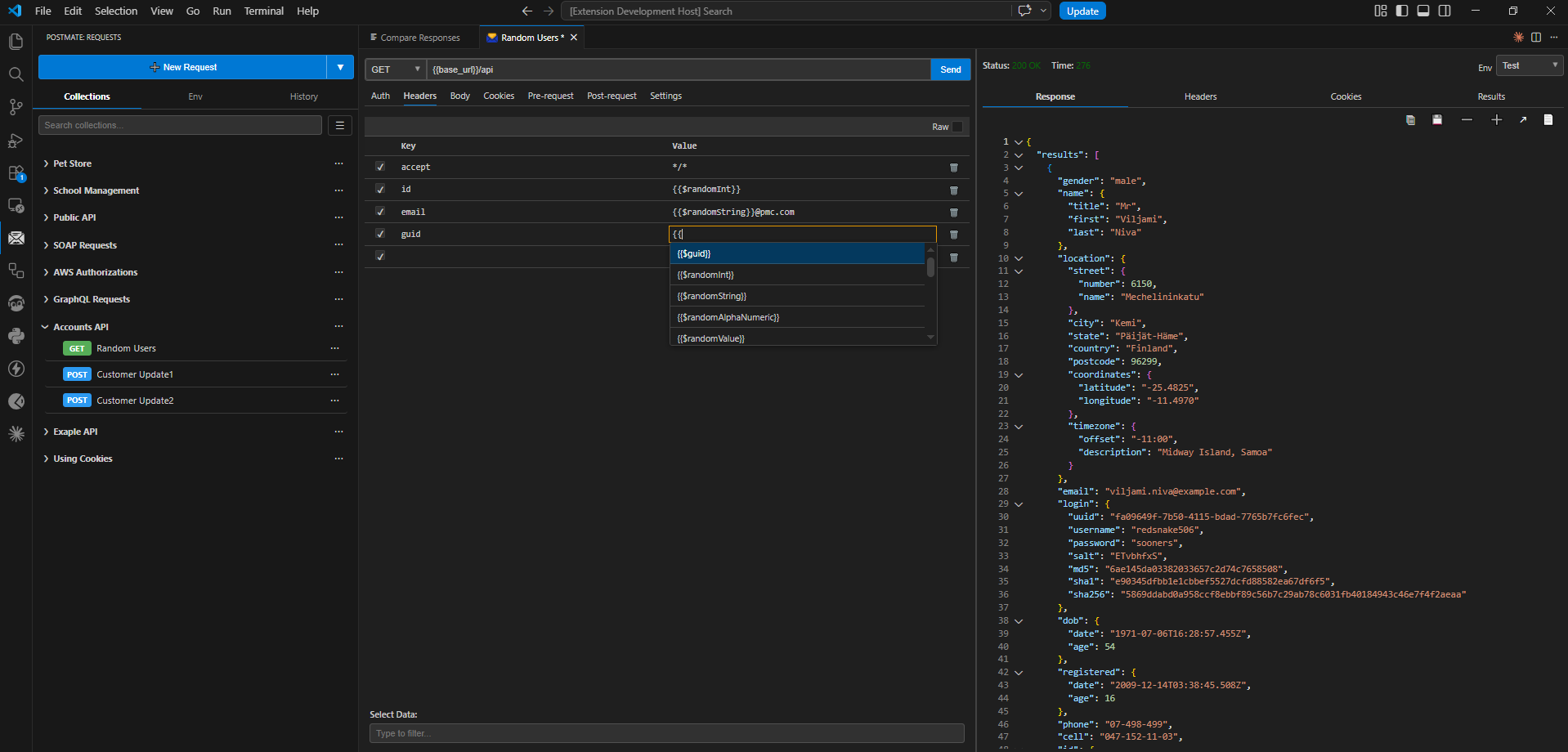
Combine with environments to switch between dev, staging, and prod without touching the request. Chain requests, write tests, compare responses, stream WebSocket messages, filter test data by tag — all from the same visual editor.
| Postmate Client | Postman | Thunder Client | |
|---|---|---|---|
| Works offline | ✅ Always | ⚠️ Limited | ⚠️ Limited |
| Works without login | ✅ Always | ❌ Required to use | ⚠️ For paid features |
| No cloud sync | ✅ Local-only | ❌ Cloud default | ✅ Local |
| Zero telemetry & tracking | ✅ None | ❌ Cloud account required | ⚠️ Opt-out (On by default) |
| WebSocket / WSS support | ✅ Free | ⚠️ Yes (login required) | 💰 Paid tier only |
| Pre/post-request scripts | ✅ Built-in | ✅ Yes | 💰 Paid tier only |
pm library | ✅ Built-in | ✅ Native | ❌ Not supported |
| Side-by-side response compare | ✅ Built-in | ❌ Manual | ❌ Not available |
| Bulk response comparison (CSV-driven) | ✅ Built-in | ❌ Scripting required | ❌ Not available |
| Data tables linked to environments | ✅ Built-in | ❌ Not available | ❌ Not available |
| Per-request data tag filtering | ✅ Built-in | ❌ Not available | ❌ Not available |
| CLI for CI/CD | ✅ Free, built-in | ⚠️ Separate tool (Newman) | 💰 Paid tier |
| Free features | ✅ Everything | ⚠️ Core features free | 💰 Most features paid |
Read the Getting Started guide → · Or import everything you already have →