Postmate 1.5.0: Your API Client Now Works Behind Corporate Proxies
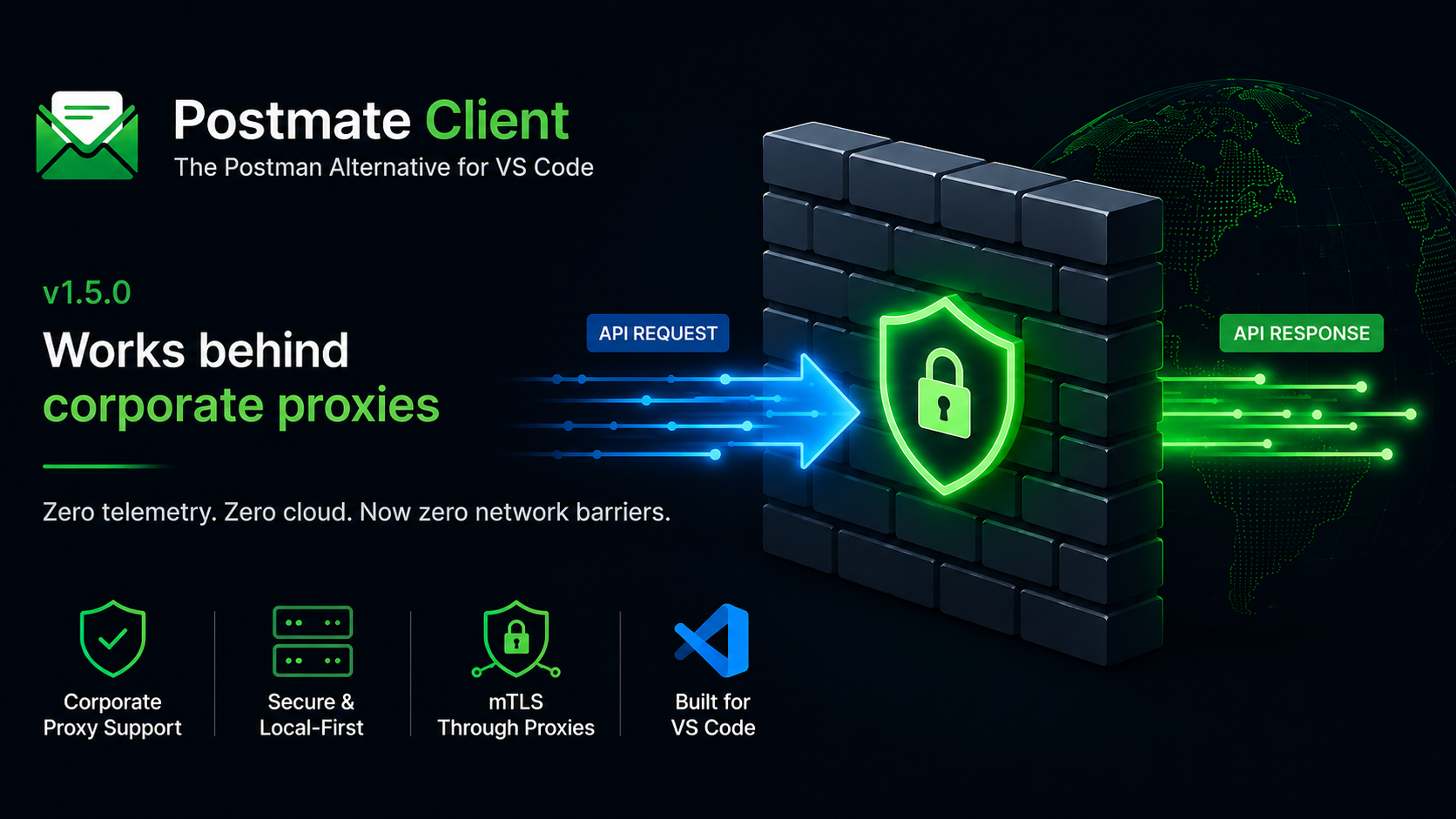
Postmate exists because of a firewall. My organization blocked Postman over cloud-sync and privacy concerns, so I built an API client that lives entirely inside VS Code and never phones home. v1.5.0 closes the loop: Postmate now works inside the kind of corporate network that created it.
If you've ever installed an API client at work, sent your first request, and watched it hang or die with a cryptic socket error — this release is for you. That failure is almost never the API. It's the corporate proxy, and most API clients handle it somewhere between poorly and not at all.
What shipped
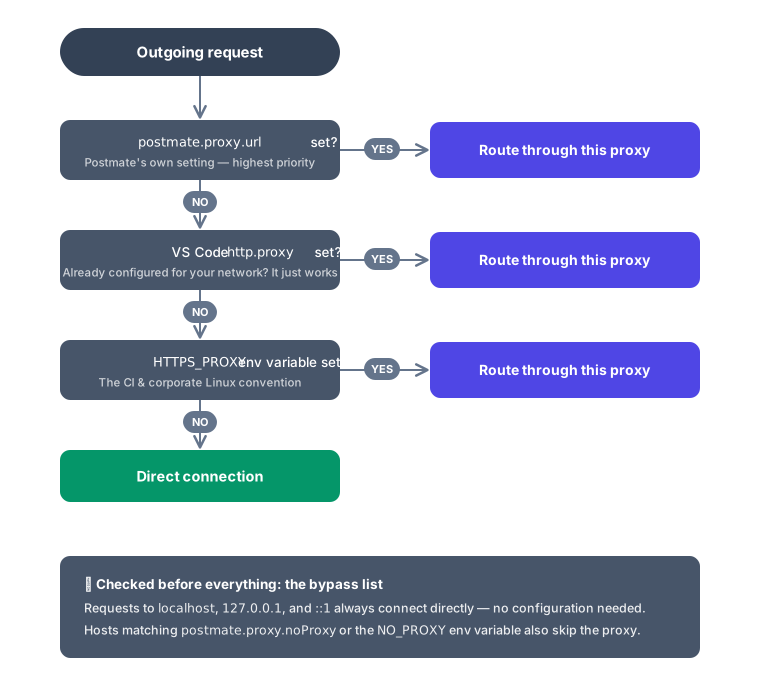
Proxy support that works the way your network already works. Postmate resolves the proxy from three sources, in order: its own postmate.proxy.url setting, VS Code's http.proxy (if your editor is already configured for your network, Postmate just follows), and the standard HTTP_PROXY/HTTPS_PROXY environment variables. Authenticated proxies work with credentials in the URL.
TLS-intercepting proxies, handled properly. If your company runs Zscaler, Netskope, or a similar HTTPS-inspecting proxy, every request normally dies with UNABLE_TO_VERIFY_LEAF_SIGNATURE. Point postmate.proxy.caBundle at your organization's root CA and everything verifies correctly — no disabling certificate checks.
mTLS and WebSocket through the tunnel. Client certificates are presented to the destination inside the proxy tunnel (the proxy never sees them), and wss:// connections tunnel through CONNECT like everything else. As far as we can tell, "WebSocket testing through an authenticated corporate proxy with client certificates" is a sentence no other VS Code API client can say.
localhost just works. Requests to localhost, 127.0.0.1, and ::1 always bypass the proxy — zero configuration. If you've ever gotten a 502 from your own machine because your API client proxied a localhost request, you know why this matters.
Errors that tell you what to do. A proxy demanding authentication no longer looks like a random ECONNRESET. You get a structured 407 with a JSON body: what happened, the fact that your request never reached the target, and the exact fix. Every synthesized response carries "source": "postmate-proxy-handler" so you can tell it apart from real API responses — and assert on it in test scripts. 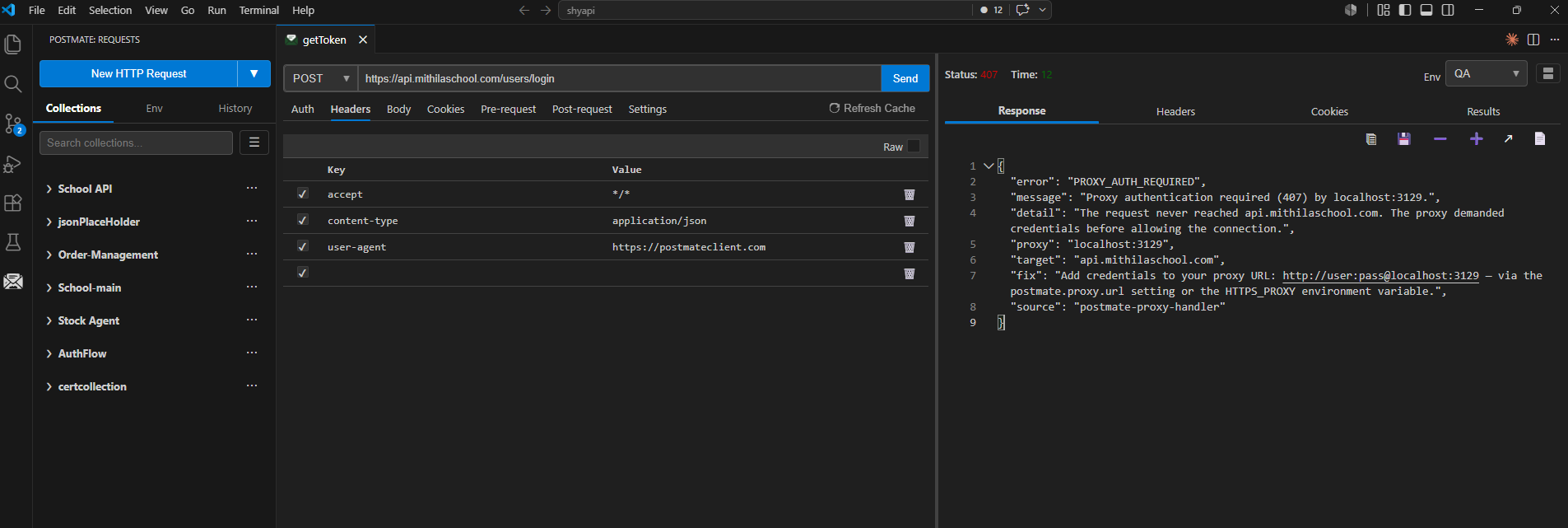
CI for free. The pmc CLI (v0.2.0) respects HTTP_PROXY/HTTPS_PROXY/NO_PROXY with zero configuration. If your corporate runner sets them — most do — your collection runs route through the proxy automatically, and an entire run shares a single keep-alive tunnel.
# GitHub Actions — usually your org's runner sets these already
- name: Run API tests
  env:
    HTTPS_PROXY: http://proxy.corp.com:8080
  run: pmc run --collection "Smoke Tests" --env staging
The bug that made this interesting
Everything above sounds straightforward. It wasn't, and one discovery is worth sharing for anyone building HTTP tooling in Node.
Node's standard https-proxy-agent takes TLS options in its constructor — so the obvious implementation passes your client certificates and custom CA there. It compiles, simple proxying works, and you ship. Except: constructor options only configure the connection to the proxy. The TLS handshake with the destination — inside the CONNECT tunnel — never sees them. Your mTLS certificate and custom CA are silently ignored, exactly and only when a proxy is active. The failure mode is a certificate error that looks like a server problem, on the one network setup where you can't easily debug it.
The fix is a small agent subclass that merges TLS options at connect-time instead. We found it because our test matrix included "mTLS through a proxy" as its own scenario — validated against real Squid and mitmproxy instances, twelve scenarios in all, including three VS Code http.proxySupport modes. (Speaking of which: set http.proxySupport to "on" — the default "override" makes VS Code interfere with extensions that manage their own connections. The docs explain why.)
If your API client claims proxy support, it's worth asking whether anyone tested that combination.
Why this matters for a privacy-first client
There's a version of "enterprise-ready" that means SSO, admin dashboards, and a sales call. Postmate's version is different: it means working inside your network without asking your data to leave it. Proxy credentials stay in your local settings. CA certificates are read from your disk. Collections remain plain JSON files on your machine. There's still no telemetry, no cloud, no account — see the security overview your infosec team will want.
Corporate proxy support was the #1 blocker between Postmate and the developers who need a local-first client most — the ones behind exactly these firewalls.
Get it
- Install / update: Postmate Client on the VS Code Marketplace — v1.5.0
- Full proxy guide: API testing behind a corporate proxy in VS Code
- CLI:
npm i -g @postmate/cli(v0.2.0) - Comparing options? The best free Postman alternatives for VS Code
Hit an edge case our twelve scenarios missed? Open an issue — proxy environments are wonderfully weird, and we want to hear about yours.